
Keyword research
Score keywords by difficulty, traffic, and opportunity. Explore store suggestions and Apple Search Ads popularity for App Store keywords, then add promising terms to tracking.
Desktop app by Sqeez Studio
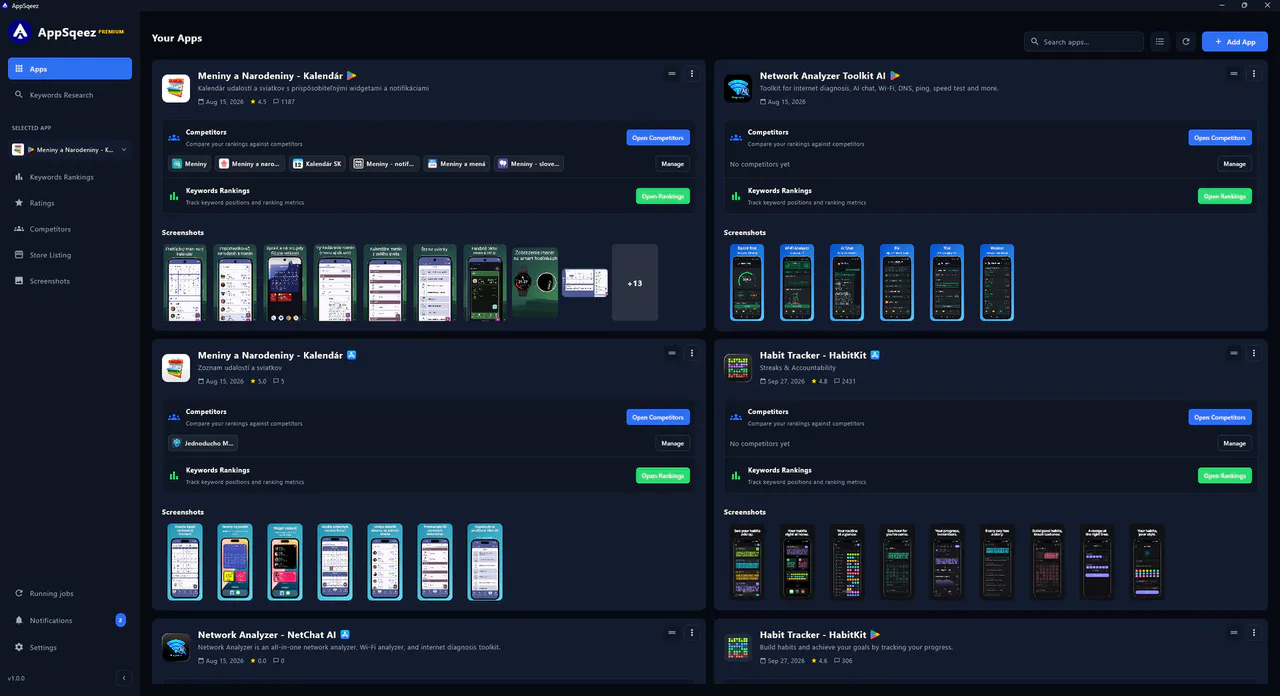
Research keywords, track rankings and ratings, compare competitors, create store screenshots, and optimize listings in one desktop app for Windows, macOS, and Linux. Built for the Apple App Store and Google Play across 150+ countries.
3 desktop platforms
Windows, macOS, and Linux
Your local workspace
Projects, drafts, and screenshots on your device
2 stores · 150+ countries
Apple App Store and Google Play
Inside the desktop app
A look at keyword research, the screenshot editor, and the store listing editor in AppSqeez.
Your ASO desktop toolkit
AppSqeez connects keyword research, competitor comparisons, screenshot design, store listings, and performance tracking. Keep your optimization work together and use your preferred AI provider when you need assistance.
Score keywords by difficulty, traffic, and opportunity. Explore store suggestions and Apple Search Ads popularity for App Store keywords, then add promising terms to tracking.
Follow keyword positions, rank changes, and historical trends by country and store. Monitor ratings and review counts, and export keyword rankings to CSV.
Compare your app and competing apps side by side across tracked keywords. Find ranking gaps and opportunities in each country.
Design screenshots with device frames, backgrounds, headlines, and zoom callouts. Prepare localized sets and export a validated ZIP for the stores; free exports include a watermark.
With Premium, edit store metadata with live character counters, save named versions, compare drafts, and localize listings. Optional integrations connect to App Store Connect and Google Play Console.
Premium connects to your own OpenAI, Claude, Gemini, or OpenRouter keys, or local models. Review proposed AI actions before they run, and connect external assistants through the local MCP server.
Keyword analysis workflow
Store support
AppSqeez supports both the Apple App Store and Google Play Store, helping you optimize iOS and Android listings with one ASO workflow.
Work across 150+ countries with localized keywords, metadata, screenshots, and ratings. Import a published app or create a draft workspace before launch.
Built by a solo developer
AppSqeez was built by an indie developer to keep the full ASO workflow together: research opportunities, prepare store assets, track results, and refine the next release.
Your app workspaces, drafts, screenshots, and configured credentials are stored locally on your computer. Store data, licensing, and cloud AI providers use online services when needed.
Core product value